
How to Set Up the Bing Webmaster MCP (Step by Step)


Contents+
- 01What the Bing Webmaster MCP actually does
- 02Why Bing Webmaster data matters in the AI search era
- 03What you need before you start
- 04Step 1. Generate your Bing Webmaster API key
- 05Step 2. Install the MCP server
- 06Step 3. Connect it to Claude Desktop
- 07Step 4. Verify the connection and fix common errors
- 08The read and write tools you get
- 09Working it into your weekly AI search routine
The Bing Webmaster MCP connects Claude to your Bing Webmaster Tools account, so you can pull index coverage, query data, and crawl stats, or submit URLs, by typing a request in a chat window. I built it as an open-source server that runs on your own machine, which means your API key never leaves your laptop and no third-party dashboard sits between you and Microsoft's data.
The reason this is worth twenty minutes of setup has less to do with Bing traffic than with where AI answers come from. Microsoft Copilot runs on the Bing index, and ChatGPT Search pulls Bing results alongside its own crawler, so the pages Bing has indexed feed directly into what large language models can surface and cite. A clean, queryable line into Bing Webmaster Tools gives you a faster way to check what is indexed, push what is missing, and watch how your coverage moves week to week.
What the Bing Webmaster MCP actually does
The Bing Webmaster MCP is a local server that exposes the Bing Webmaster Tools API to Claude as a set of callable tools, so the assistant can read your search data and submit content on your behalf. Instead of logging into the Bing dashboard, exporting a report, and reading it yourself, you ask Claude a question in plain language and it calls the right endpoint and hands back the answer.
MCP stands for Model Context Protocol, an open standard that lets AI assistants talk to external tools and data sources through a common interface. You can read the full spec at modelcontextprotocol.io. The important part for this setup is that the server runs on your own computer and talks to Claude over standard input and output, so nothing is hosted in the cloud and no account sits in the middle. Your Bing API key lives in a config file on your machine and is passed to the server as an environment variable.
The server wraps most of the Bing Webmaster Tools API. On the read side you get site listings, rank and traffic stats, query performance, query-to-page and page-to-query breakdowns, per-URL traffic, crawl stats and issues, link counts, inbound links, connected pages, and keyword research. On the write side you can submit single URLs or batches, manage sitemaps, and block or unblock URLs. There is also a generic call_bing_api tool that reaches any method the wrapper does not cover directly. The code is on GitHub if you want to read exactly what each tool does before you install it.
Why Bing Webmaster data matters in the AI search era
Bing stopped being a rounding error the moment generative assistants started answering questions. Copilot is built directly on the Bing index, and ChatGPT Search draws on Bing results next to its own crawler, which Search Engine Land documented when the feature rolled out. When a reader asks one of those assistants about your category, the pages Bing has crawled and understood are part of the pool the model draws from. If Bing has not indexed a page, that page is invisible to a large slice of AI search.
This is why I keep pulling the conversation back to indexation rather than rankings. Getting a page into Bing quickly matters more than it did two years ago, and Bing supports IndexNow, a protocol that pings search engines the moment a URL changes instead of waiting for a crawl. The MCP does not replace IndexNow, but it gives you a fast way to confirm coverage, submit URLs that slipped through, and see which queries Bing is already showing you for. If you want the strategic view behind all of this, we wrote separately about how AI engines decide what to cite and owning your AI search visibility instead of renting it.
The practical payoff is speed of feedback. Most teams check Bing once a quarter, if at all, because opening another dashboard is friction nobody wants, and because the person who would read it often cannot tell a real problem from noise, which is a gap we wrote about in how to evaluate SEO work when nobody on your team is an SEO. When the data is one question away inside a tool you already use for drafting and analysis, you check it constantly, and constant checking is how indexation problems get caught while they are still small. That habit is worth more than any single report.
What you need before you start
You need four things in place, and none of them cost money. The first is Python 3.10 or higher, which runs the server. Most Macs ship with an older Python, so check your version with python3 --version and upgrade if you are below 3.10. The second is a Bing Webmaster Tools account with at least one verified site, since the API only returns data for sites you own and have verified.
The third is Claude Desktop, the desktop app that reads the MCP config file. The web version of Claude does not load local MCP servers, so the desktop app is required here. The fourth is the server code itself, which you download from the GitHub repository. Keep the exact URL format of your verified site handy, because Bing is strict about it. A site registered as https://example.com/ will not match a request for example.com or http://example.com, protocol and trailing slash included.
Step 1. Generate your Bing Webmaster API key
Open Bing Webmaster Tools, click the Settings gear in the top right, choose API Access, and then API Key. Bing generates a key or shows you the existing one, and you copy it. Microsoft documents this flow in its guide to getting API access, and the whole step takes under a minute once you are logged in.
Treat this key the way you treat a password, because it grants full read and write access to your Webmaster Tools data. Do not paste it into a shared document, a public repository, or a screenshot you post anywhere. In this setup it only ever lives in a local config file on your own machine, which is the point of running the server locally rather than through a hosted service.
Step 2. Install the MCP server
Download the repository from GitHub, either by cloning it with git or downloading the ZIP and unpacking it. Open a terminal, move into the folder that contains bing_webmaster_mcp.py, and install the dependencies.
cd /path/to/bing-webmaster-mcp
python3 -m pip install -r requirements.txt
If you work on more than one Python project, create a virtual environment first so the dependencies stay isolated. The install pulls in the handful of packages the server needs and finishes in a few seconds. Once it completes, confirm the main file is where you think it is by running ls in that folder and checking that bing_webmaster_mcp.py appears, because the next step needs the exact path to that file.
Step 3. Connect it to Claude Desktop
Claude Desktop reads a JSON config file that tells it which MCP servers to start. On macOS the file lives at ~/Library/Application Support/Claude/claude_desktop_config.json, and on Windows it is at %APPDATA%\Claude\claude_desktop_config.json. Open that file in a text editor, or create it if it does not exist yet.
Add the following block under mcpServers, swapping in the absolute path to your server file and the API key you copied in Step 1.
{
  "mcpServers": {
    "bing-webmaster": {
      "command": "python3",
      "args": ["/ABSOLUTE/PATH/TO/bing_webmaster_mcp.py"],
      "env": {
        "BING_WEBMASTER_API_KEY": "PASTE_YOUR_KEY_HERE"
      }
    }
  }
}
The path has to be absolute, not relative, because Claude does not know where your project folder is. On a Mac it looks something like /Users/yourname/projects/bing-webmaster-mcp/bing_webmaster_mcp.py. If you already have other servers in the file, add bing-webmaster as another entry inside the existing mcpServers object rather than creating a second one. Save the file and quit Claude Desktop completely, then reopen it, since the config is only read on startup.
Step 4. Verify the connection and fix common errors
After Claude restarts, the Bing Webmaster tools should be available. Ask it something simple like "List my Bing Webmaster sites" and it will call the list_sites tool and return the sites on your account. If you see your verified domains come back, the setup works and you can move on to real queries.
When it does not work, the cause is almost always one of four things. The server file path in the config is wrong or relative, so double-check it is the full absolute path. The python3 command is not on your system path or points at a version below 3.10, which you can test by running python3 --version in a terminal. The API key is missing or mistyped in the env block, which returns an authentication error rather than a crash. Or the request references a site URL that does not match the exact registered format, protocol and trailing slash included, which quietly returns nothing.
Two smaller details save time once you are running queries. Bing expects dates in YYYY-MM-DD format for the keyword and stats tools, so a request that names a month by name will fail. And the submission tools draw down a daily and monthly quota, so batching a thousand URLs at once can exhaust it. You can check what you have left with the get_url_submission_quota and get_content_submission_quota tools before a big push.
The read and write tools you get
Most of your time will be spent on the read tools, because they answer the questions that used to mean exporting a spreadsheet. You can ask Claude for your top queries over a date range, the pages Bing ranks for a given query, crawl issues it has flagged, inbound link counts, or keyword and related-keyword ideas straight from Bing. Because the answer comes back inside a chat, you can immediately ask a follow-up, such as which of those queries have no matching page, without touching a dashboard. This is the same instinct behind asking whether ranking is a KPI worth reporting, only now the data is a sentence away.
The write tools are where you act rather than observe. submit_url and submit_url_batch push URLs to Bing for indexing, the sitemap tools submit or remove feeds, and the block tools hide URLs you do not want surfaced. These consume quota, so they are worth using deliberately rather than on every save. For anything the named tools do not cover, call_bing_api accepts a raw method name and parameters and reaches the rest of the Bing Webmaster Tools API, which is a useful escape hatch when Microsoft ships an endpoint faster than the wrapper adds a dedicated tool.
A short example shows how these combine. You ask Claude which of your priority pages Bing has not indexed, it reads your query and URL data to find the gaps, you confirm the list, and it submits them with submit_url_batch in the same conversation. That loop, from question to action, used to span three tabs and a CSV. If you are trying to judge whether that time saving is real, our note on what a healthy SEO ROI looks like is a useful frame for costing your own hours.
Working it into your weekly AI search routine
The setup earns its keep when it becomes a habit rather than a novelty. A workable weekly rhythm is to open Claude, ask for any new crawl issues Bing has flagged, pull the week's query stats to see what Bing is surfacing you for, and submit any new or updated priority pages that are not yet indexed. Ten minutes of that, done consistently, keeps your Bing coverage current, and current Bing coverage is part of what keeps you present in Copilot and ChatGPT answers.
Pair the indexation habit with the strategy work, because clean data does not write your content plan for you. The MCP tells you what Bing sees; deciding what it should see is a separate exercise, and it is the one we spend most of our time on with clients through topical authority and SEO campaigns built to compound. All of it only matters if it moves the business, which is the argument behind turning SEO goals into real business growth rather than chasing coverage for its own sake. If you want a clearer read on where your visibility actually stands before you build that plan, that is exactly what our AI search visibility audit is for, and the Bing data you can now pull in seconds is one of the inputs we start from.
See where your brand stands in AI answers today, benchmarked against your competitors, no pitch required.
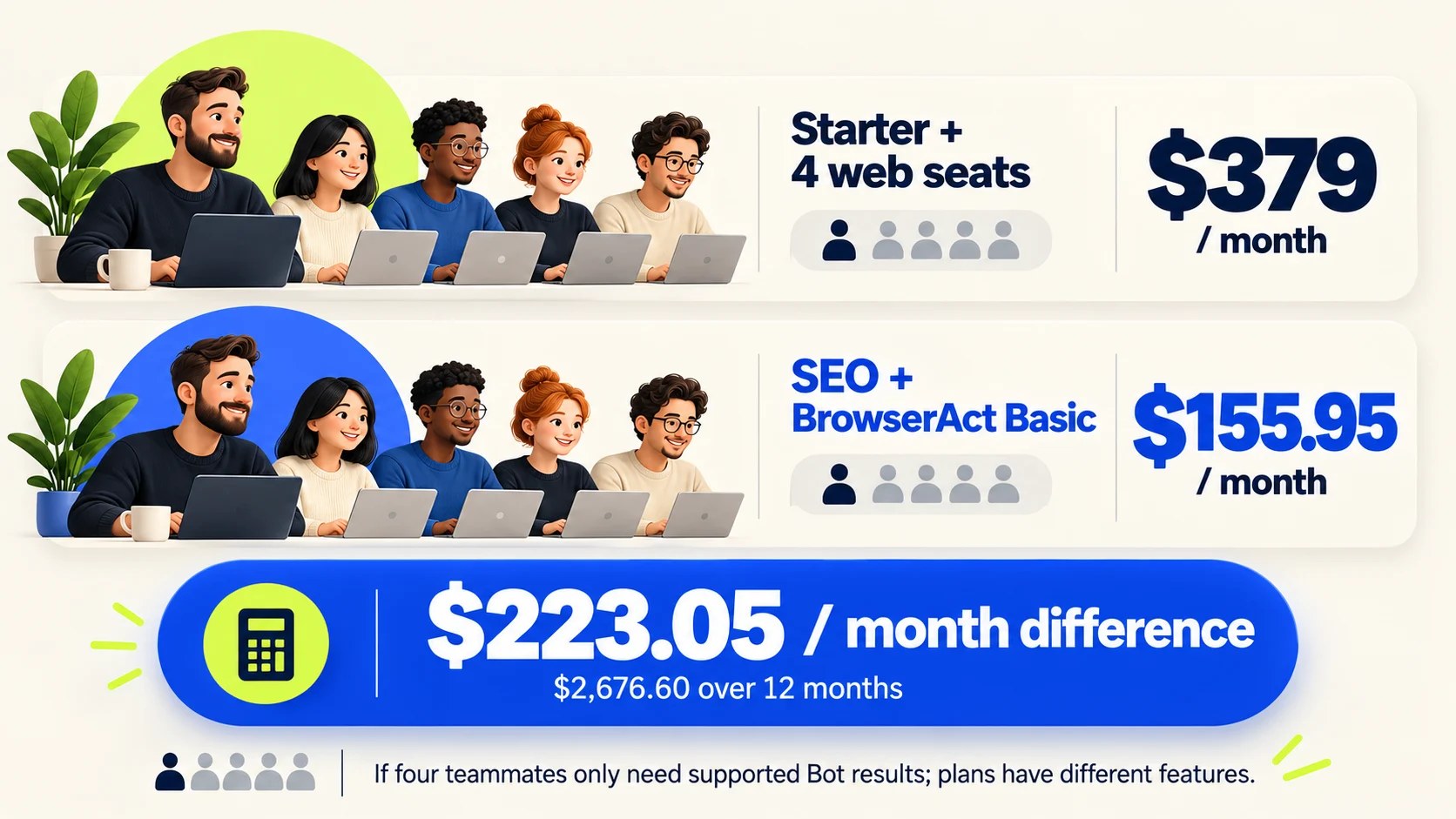
How to Get More From Your Semrush Subscription With AI Agents
BrowserAct's walkthrough of one Semrush keyword check run through MCP and a five-person team budget comparison.
Read post →
How to Use the Google Search Console MCP in Your SEO Process (6 Real Workflows)
Six Google Search Console MCP workflows we run on search.agency, each with the exact prompt, the tool it calls and the real output it returned.
Read post →
How DOKU Became the Most Visible Payment Gateway in Indonesian Search
DOKU was the better-known brand and the worse-ranked one. Eight months of technical repair and four content pillars later, it holds more Top 3 rankings than any payment gateway in the market.
Read post →