
Find out what AI can read on your page.
ChatGPT, Claude, Perplexity and Google never run your JavaScript. They read the raw HTML your server sends, which on a lot of sites is a fraction of what a visitor sees. Agent View puts the two side by side and scores the gap. Run it on any page with one click. Nothing leaves your browser.
Free to install with no account to create. Chrome may show a caution dialog the first time. The FAQ below explains why.
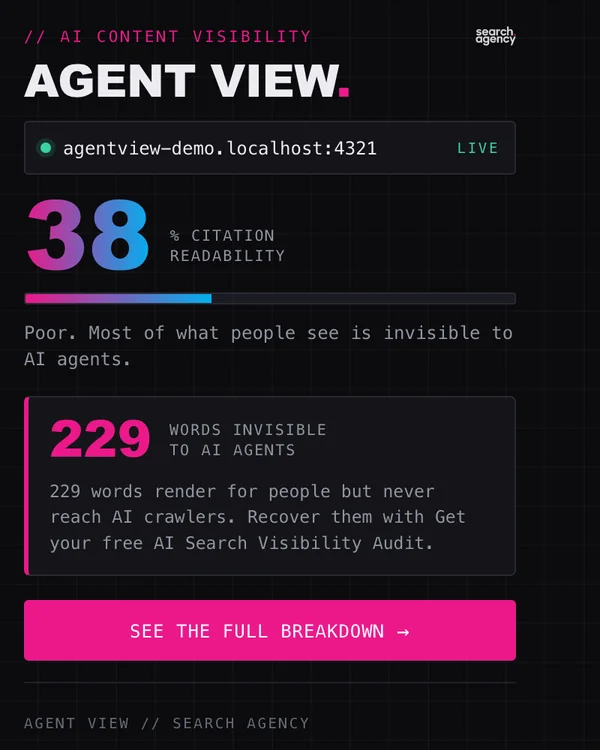
The full report shows you what AI missed.
Behind the score sit the parts of the page that produced it. The report names every block that never reached a crawler and shows which crawlers your server turned away.
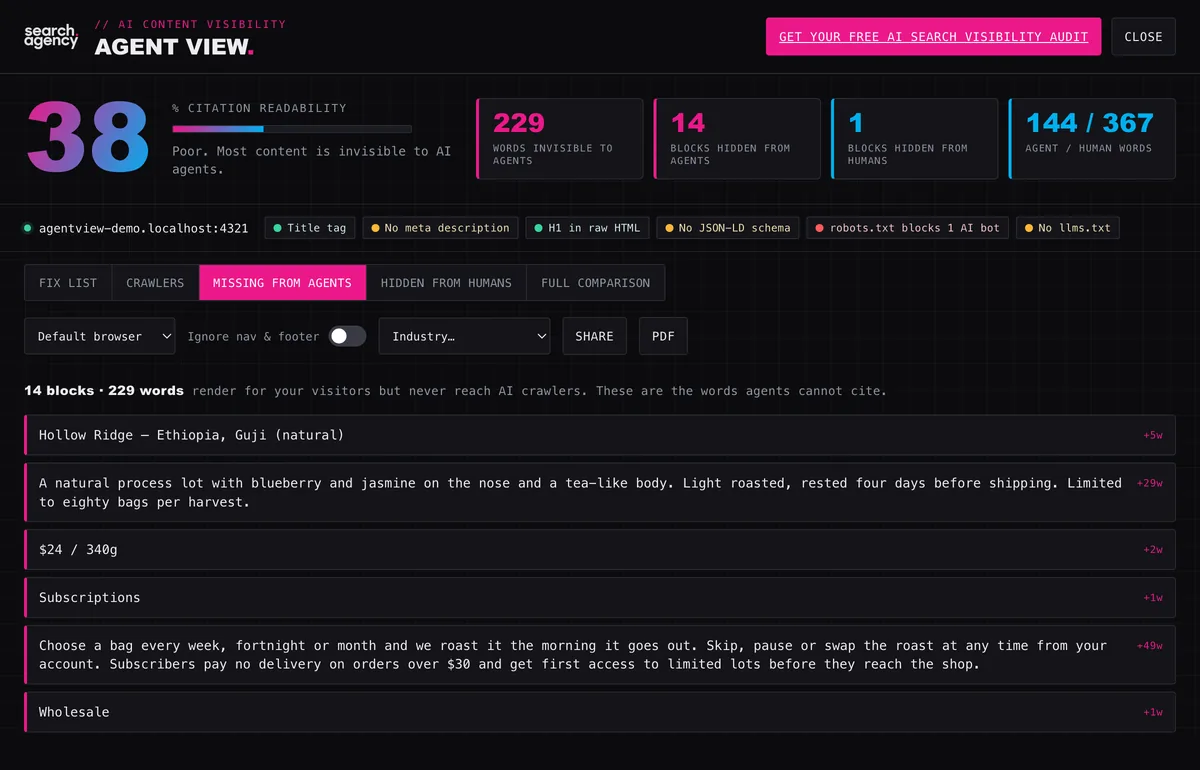
The words crawlers never see
Every content block that renders in a browser and is absent from the raw HTML, listed with its word count. No assistant can quote a word of it back to you. The list gives you the recovery job in the order you would work through it.
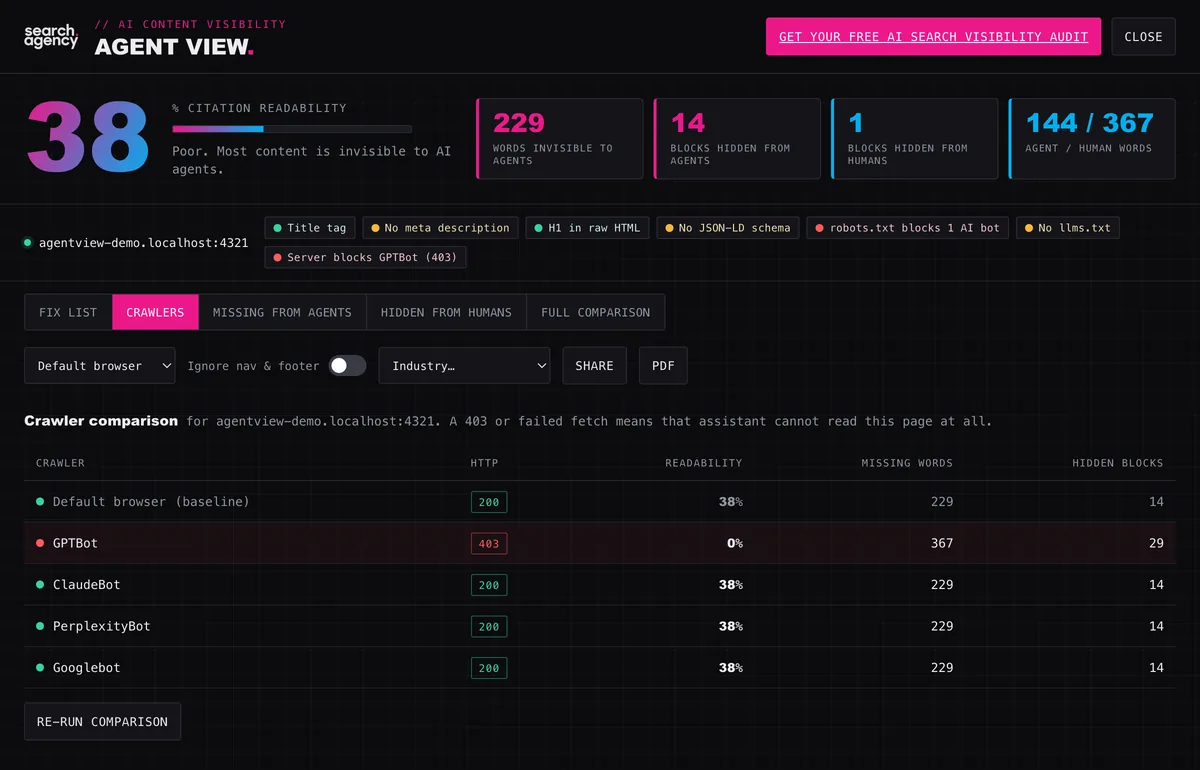
A crawler-by-crawler comparison
Agent View fetches the page again as GPTBot, ClaudeBot, PerplexityBot and Googlebot. The report gives the HTTP status each one sends back. A 403 means your firewall or CDN turned that assistant away at the door. Your robots.txt can say the opposite and the 403 still wins. The report shows you both readings and lets you see the disagreement.
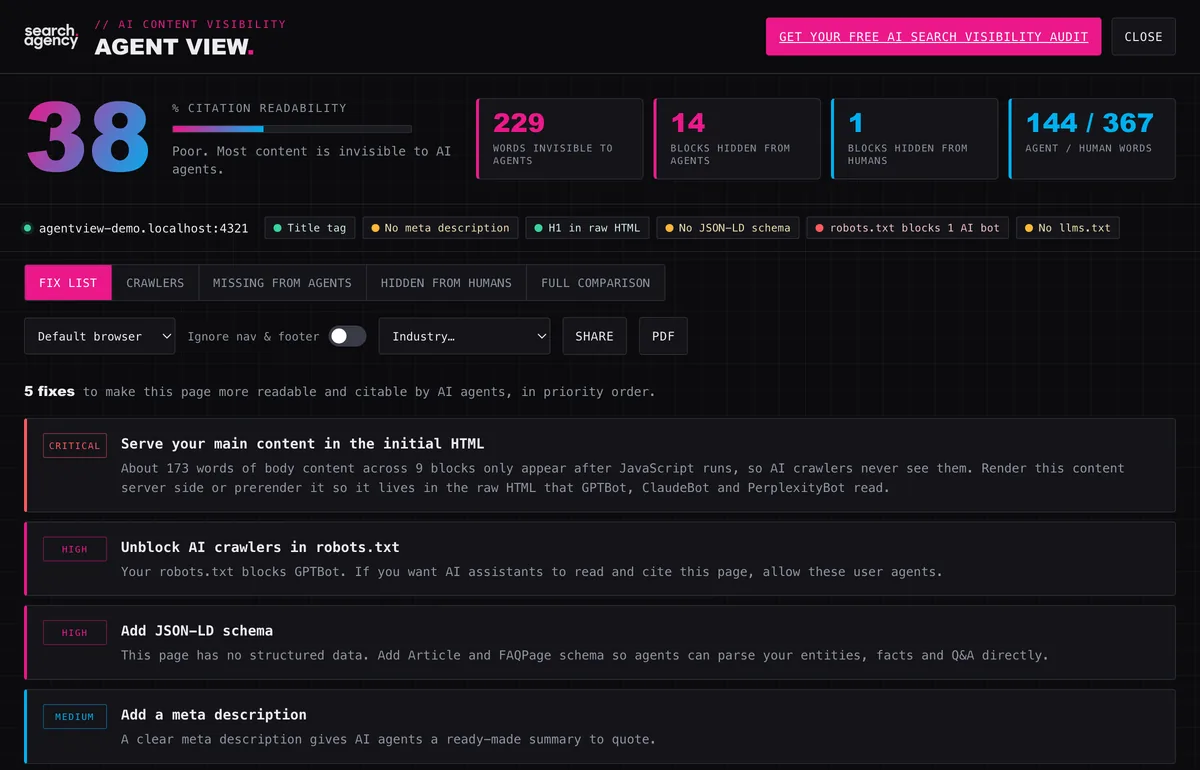
A prioritized fix list
Each issue turns into a ranked recommendation in plain language, covering server-side rendering, schema, robots rules and llms.txt. Pick your industry and the wording retunes to the pages you publish. What comes out reads like a brief you can hand to a developer.
Here is how you check a page.
Visit any URL
Run it on your own page or on a competitor's. Agent View reads a page only when you click its icon on it.
Read the score
One number: the share of visible content that survives into the raw HTML. Server-rendered pages land near the top. A page painted by JavaScript scores low, because the crawler receives a near-empty shell.
Open the full report
The full report adds the per-crawler status table and a side-by-side comparison of the raw HTML against the rendered page. Export to PDF when someone else needs to read it.
Work the fix list
Start at the top of the list. Fix the first item and run the check again to see the number move.
AI can only recommend what it can read.
Assistants cite what they can read
An assistant can only quote content its crawler received. Your proof points might load after JavaScript. Your firewall might turn GPTBot away at the door. Either way you are missing from the answer your buyer reads, while the page looks perfectly healthy in your own browser.
Nothing leaves your browser
There is no server behind Agent View and no analytics inside it. Your page, its raw HTML and its robots and llms.txt files are read and compared on your own machine. The result stays on your device long enough for the popup to hand it to the report tab. The next run overwrites it.
Common questions
What does Agent View measure?
The share of the words a visitor sees that also appear in the raw HTML a non-rendering crawler receives. Assistants read that raw HTML. Anything JavaScript paints after load never reaches them, which puts it beyond quoting. A fully server-rendered page lands near the top. A page whose body is assembled in the browser scores low.
Is it free and does it need an account?
Free, with nothing to set up. Install it and click the icon on any page to run the check. There is no paid tier waiting behind it.
Does Agent View send my pages to Search Agency?
No. There is no server behind the extension and no analytics inside it. Your page, its raw HTML and its robots.txt and llms.txt are read and compared in your browser. The one time anything leaves is when you click through to our audit page yourself. Section 12 of our privacy policy lists what that link carries.
How does it emulate GPTBot and the other crawlers?
It re-fetches the same page with each crawler's user-agent string and no cookies. The report gives the HTTP status and readability score each one sends back. That is how a 403 surfaces. The page loads perfectly for you while a firewall or CDN turns that assistant away.
My robots.txt allows AI bots but Agent View says the server blocks them. Which is right?
Both. The disagreement is the finding. Your robots.txt makes a request. A 403 from your CDN or WAF enforces something else. The live response is what the crawler acts on, whatever robots.txt permits. Agent View shows you both readings and marks where they part company.
Can I use it on a competitor's site?
Yes. Any URL you can open in a browser will do, since the check only needs the public page. It takes about a minute to find out whether a competitor reads more cleanly to assistants than you do.
Where do I install it?
It is live on the Chrome Web Store. The install button at the top of this page goes straight to the listing. There is no charge and no account to create.
Chrome says the extension is not trusted by Enhanced Safe Browsing. Is something wrong?
No. Chrome adds an extension to that trust list only after it has sat in the Web Store for a few months with a clean policy record. Every newly published extension shows this dialog. Large publishers get it too. You will see it only with Enhanced Safe Browsing switched on. Standard protection shows nothing at all. The dialog clears on its own as the listing ages. What is worth checking meanwhile is what the extension does. Agent View has no server and no analytics. Section 12 of our privacy policy lists every permission and the reason for it.
Agent View is free and runs in your browser.
Free to install with no account to create. Open the page you care about most and read what the assistants read.