
Google Search Console MCP: Setup, Limits, and What Breaks


A Google Search Console MCP server lets an AI assistant query your Search Console data directly, in conversation, instead of you exporting CSVs and pivoting them by hand. You ask which pages lost clicks last month; the assistant calls the API, gets the rows, and answers. No dashboard, no export, no spreadsheet.
Setup takes about ten minutes. The more useful part, and the part nobody writes down, is which of its answers you can trust. This covers both.
What it actually connects to
The server most people end up on is mcp-search-console (published from the AminForou/mcp-gsc repository). It exposes around twenty tools. The ones that earn their keep:
| Tool | What you use it for |
|---|---|
list_properties | Find the exact property string. Domain properties look like sc-domain:example.com, URL-prefix ones like https://example.com/. Get this wrong and every other call fails. |
get_search_analytics | Clicks, impressions, CTR and position grouped by query, page, country, device or date. |
get_advanced_search_analytics | The same, with filters and pagination. This is the one you actually want for anything real. |
compare_search_periods | Two date ranges, side by side. Good for "what changed after the redesign". |
get_search_by_page_query | Every query driving one specific URL. The fastest way to find out a page ranks for something you never targeted. |
inspect_url_enhanced / batch_url_inspection | Index status for one URL, or up to ten at once. |
list_sitemaps_enhanced | Sitemap errors and warnings, which the UI buries. |
Once connected, the questions that pay for the setup are the ones too tedious to do by hand: which pages get impressions but almost no clicks? Which queries moved from page two to page one this month? Show me every URL in the sitemap that has never been indexed. Those are three exports and a pivot table each. Now they are one sentence.
Setup
You need credentials before you touch any config. In Google Cloud, enable the Search Console API, then create an OAuth client ID under Credentials and download the JSON.
Save that file somewhere permanent. Not Desktop, not Downloads. This matters more than it looks — see the failure modes below.
Then add the server to your client config. In Claude Desktop that is claude_desktop_config.json:
{
  "mcpServers": {
    "gscServer": {
      "command": "/full/path/to/uvx",
      "args": ["mcp-search-console"],
      "env": {
        "GSC_OAUTH_CLIENT_SECRETS_FILE": "/full/path/to/client_secrets.json"
      }
    }
  }
}
Restart the client. On the first call a browser window opens for Google sign-in; after that the token is cached and you are not asked again. uvx downloads and runs the package on demand, so there is nothing to clone and no virtualenv to maintain.
The environment variables worth knowing:
| Variable | Why you would set it |
|---|---|
GSC_OAUTH_CLIENT_SECRETS_FILE | Absolute path to the OAuth JSON. Required for personal use. |
GSC_CREDENTIALS_PATH | Absolute path to a service account key instead. Use this for teams. |
GSC_DATA_STATE | all (default) matches what the GSC dashboard shows. final returns only confirmed data, which lags two to three days but stops you reporting numbers that later move. |
GSC_ALLOW_DESTRUCTIVE | Off by default. Leave it off unless you have a specific reason. |
The limit nobody mentions
Here is the thing that will burn you if you do not know it, and it is not a bug in the server.
Search Console does not return every query. Google withholds queries that are too rare, to protect the privacy of the people who typed them. So when you ask an assistant "what are we ranking for", you get a real answer that is also an incomplete one.
We measured this on our own domain property over a recent quarter. Rows returned at the query level accounted for roughly 46% of the clicks the same period reported at site level. The other half sat in long-tail queries Google will not name. Page, country and device totals reconciled exactly; only the query dimension had the gap.
That has two practical consequences. First, never sum query rows and present the total as your traffic — it will be roughly half. Second, and more useful: if you pull site totals and query totals for the same window, the difference tells you how much of your demand is long-tail. A site where queries account for 90% of clicks has a concentrated head. One at 46% is being found in a very large number of small ways, which is a different content strategy.
An assistant will not warn you about this. It will confidently add up the rows it was given. Ask for both numbers and reconcile them yourself.
Three things that break
1. The credentials file moved. The most common failure, and the most confusing, because the server starts perfectly. The config holds an absolute path; you saved the JSON to your Desktop months ago, later tidied it away, and nothing complained. Then the first tool call fails with an error naming a file that is not there. Nothing in the client's status display tells you anything is wrong until you actually ask a question. This is why the path should point somewhere permanent from day one.
2. spawn uvx ENOENT. The client cannot find uvx on its PATH, because a GUI app does not inherit your shell's environment. Use the absolute path in command — typically ~/.local/bin/uvx on macOS and Linux, expanded in full — rather than the bare word.
3. Version drift in the MCP SDK. A concrete example worth knowing about: the mcp Python SDK 2.0.0, released in late July 2026, removed the mcp.server.fastmcp module. Every fresh install crashed on startup with ModuleNotFoundError until the package pinned the SDK below 2.0. Version 0.3.3 carries that pin. If you set this up during that window and gave up, try again — it was not you.
Two of those three fail silently at startup and only surface when you ask a question. That is the general shape of MCP debugging: a server that appears connected is not the same as a server that works. When something looks wrong, ask the assistant to call get_capabilities first — it reports auth status directly.
Setting it up for a team
OAuth binds the connection to one Google account, which is fine on your own machine and wrong for an agency. For shared or automated use, create a service account instead, point GSC_CREDENTIALS_PATH at its key file, and then do the step people forget: add the service account's email address as a user on each Search Console property, with Full access. The credentials are valid the moment you download them; they just cannot see anything until you grant that access, which produces an empty-looking property rather than an error.
Set GSC_SKIP_OAUTH to true in that setup so the server never tries to open a browser it has no way to show you.
Whether it is worth it
The honest answer is that it does not tell you anything Search Console did not already know. What changes is the cost of asking. Questions you would not have bothered to export for get asked, because asking is now a sentence, and a chunk of the analysis that used to be a Tuesday afternoon becomes a conversation. That is the whole return, and it is larger than it sounds.
What it does not do is judge. It will hand you a position of 32 for a query where you actually rank first in your one real market and sixtieth in a market you do not sell to, and report the average without blinking. Treat it as a very fast analyst with no context about your business, because that is exactly what it is.
We ran six of these questions against our own property as a weekly routine and published the prompts and outputs for each Search Console MCP workflow. If you are wiring up assistants for SEO work, the same approach applies to crawl data: we covered connecting Screaming Frog to Claude over MCP and the crawl workflows worth automating once it is running. For turning any of it into numbers a board will read, see how we approach search measurement, or request an audit.
See where your brand stands in AI answers today, benchmarked against your competitors, no pitch required.
Related reading
All posts →
How to Use the Google Search Console MCP in Your SEO Process (6 Real Workflows)
Six Google Search Console MCP workflows we run on search.agency, each with the exact prompt, the tool it calls and the real output it returned.
Read post →
How to Set Up the Bing Webmaster MCP (Step by Step)
Connect Claude to your Bing Webmaster Tools account with an open-source MCP server, so you can pull index coverage and query data or submit URLs without leaving the chat. A step-by-step setup for technical SEOs who care about AI search visibility.
Read post →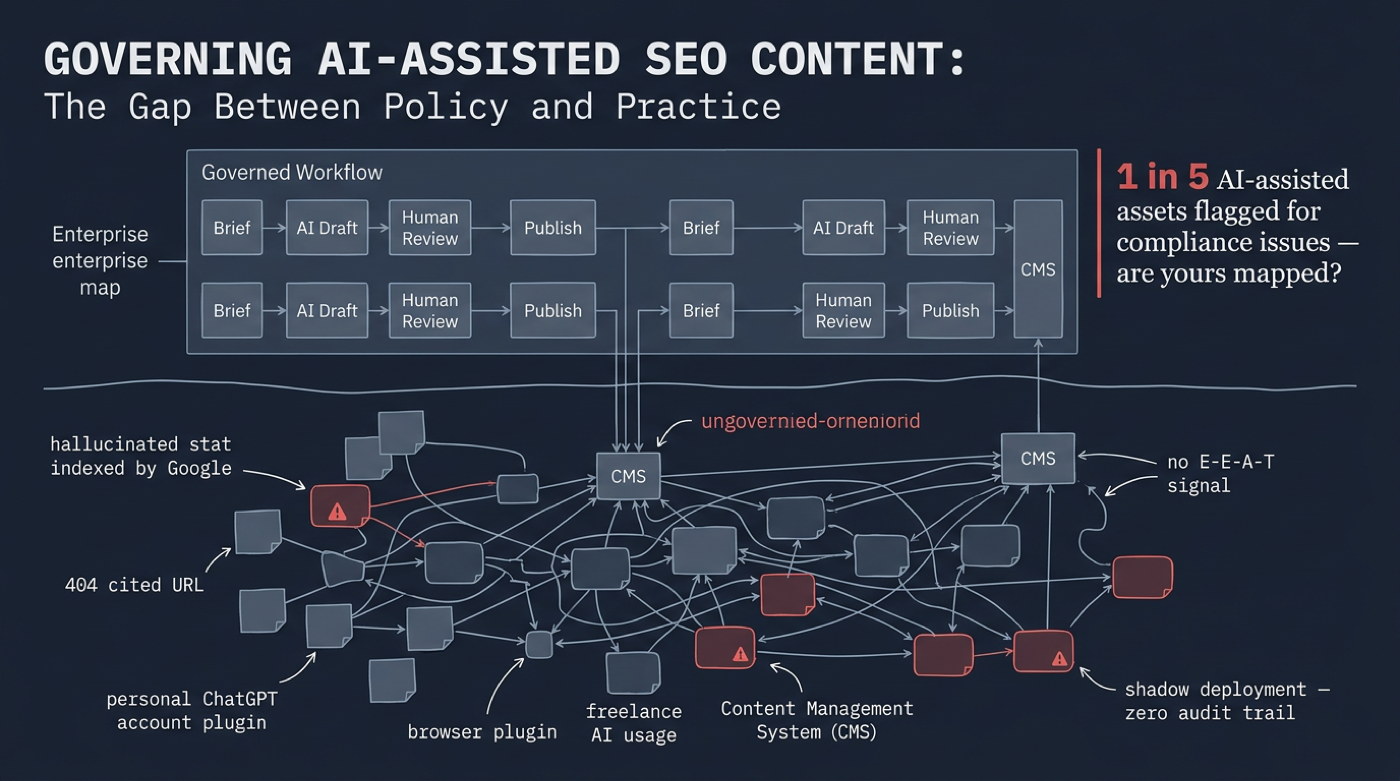
Governing AI-Assisted SEO Content at Enterprise Scale
A human directs, AI accelerates, a human verifies. Enterprises that wire that loop into roles, guardrails and pipeline checks get the speed of AI with the quality their rankings and brand depend on. Those that skip the bookends get volume that quietly erodes both. If you want help designing and running that governance model, that is part of what [our AI search team in Indonesia](/ai-search-agency-indonesia) does.
Read post →